7.3.2.2 For Andruav operations
Some of the steps are described in greater details also in this video:
https://www.youtube.com/watch?v=mUCbhzvmVcI
|
Step |
Action |
Device |
|
☐ 1 |
Power up the aircraft and the flight controller. |
AC |
|
☐ 2 |
Start the Andruav-app |
AV |
|
☐ 3 |
Connect the Andruav-app with the flight controller |
FC<->AV |
|
☐ 4 |
Connect the Andruav-app with the Andruav backend |
AV |
|
☐ 5 |
Launch Google Chrome (after internet connectivity has been
established via a hotspot), load the Andruav WEB panel
and press |
CP |
|
☐ 6 |
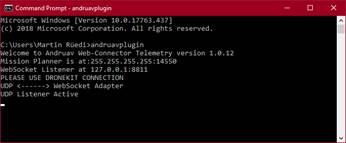
Open a command line, type and execute andruavplugin:
|
CP |
|
☐ 7 |
On the Andruav WEB Panel, change |
CP |
|
☐ 8 |
Start the FlightZoomer Cockpit-app |
CP |
|
☐ 9 |
Select the 3rd Party Telemetry-tab; choose UDP and set port 14550 before your press Enter Cockpit… |
CP |
|
☐ 10 |
Basic instrument end-to-end check |
AC -> FC -> CP -> CP |