7.3.1 Change display units
As described before, most data in the Cockpit app can be displayed in different units.
To change the displayed units, proceed as follows:
|
Step |
Action |
Device |
|
☐1 |
Open the FMS |
CP |
|
☐2 |
Navigate to the IDENT page by pressing INIT, followed by pressing IDENT (LSK L1)
|
CP |
|
☐3 |
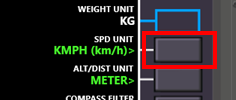
Press LSK R2 repeatedly to cycle through the supported units for horizontal speeds
|
CP |
|
☐4 |
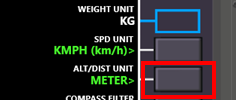
Press LSK R3 repeatedly to cycle through the supported units for distances or altitudes (the same setting applies to both).
|
CP |